Ontario contractor forms in one searchable PDF maker
Search statutory notices, safety logs, field inspections, invoices, sign-offs, and contractor paperwork from one compendium. Pick a form, customize the fields, preview the printable layout, then start a Blue Crane trial to print and save the PDF. In the full Blue Crane app, jobsite QR codes can point crews to the complete site form set instead of one-off website links.
Open the Form Compendium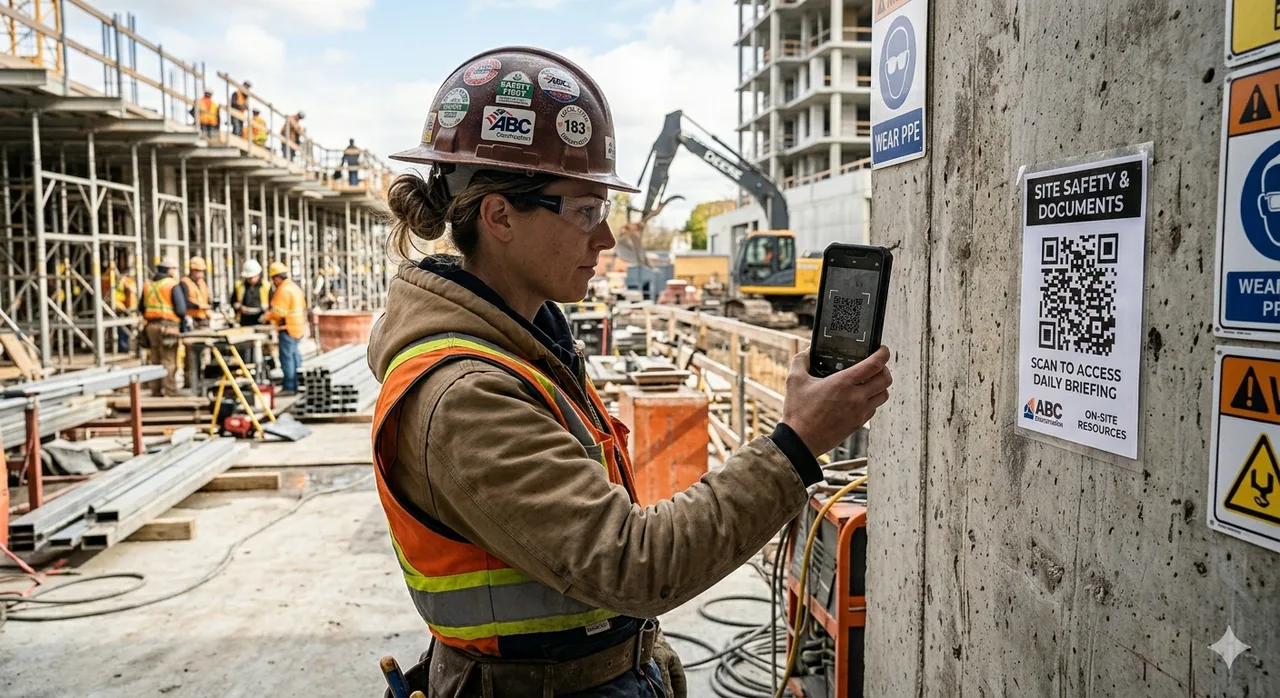
Blue Crane jobsite QR boards help crews open the right site paperwork from the trailer, truck, or shop floor.
Turn repeat contractor paperwork into guided, printable PDFs.
Blue Crane's PDF form maker gives crews and office staff a faster way to prepare field paperwork. Pick a template, enter the job details once, preview the finished layout, then print and save to PDF when you start the trial.
- Pick the form Start with safety logs, invoices, notices, DVIRs, toolbox talks, sign-offs, and other contractor documents.
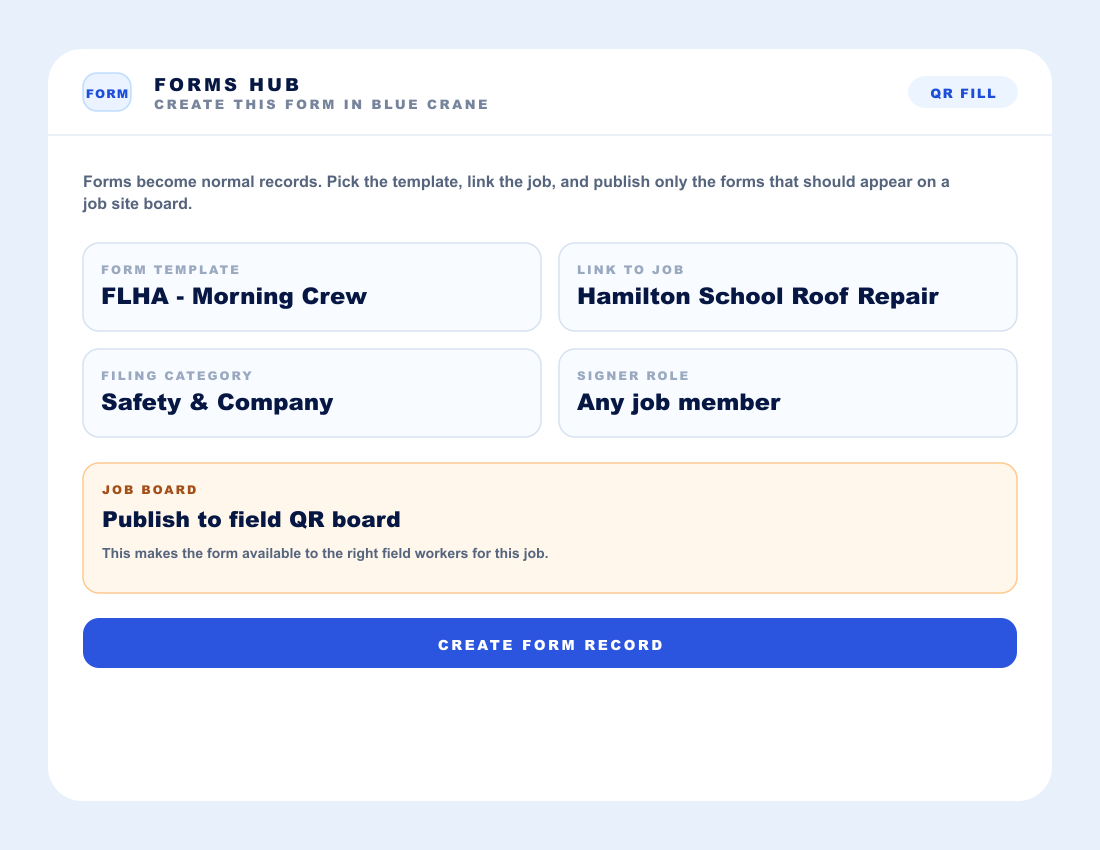
- Fill it cleanly Add job, worker, equipment, date, amount, location, and sign-off details without rebuilding the same form.
- Generate the PDF Preview a printable record with organized sections that is ready to file, share, or save to the business.
- Scale it in Blue Crane Use Blue Crane jobsite QR codes to connect crews to the full site form set, not isolated website QR links.
Blue Crane helps organize operational paperwork and compliance support records. It does not replace legal advice or guarantee compliance by itself.
Browse PDF FormsRight tools for the job.
The website form maker is useful when you need one clean PDF. The Blue Crane app is the software tool for running the paperwork behind the business: scan records, sort receipts, connect documents to jobs, share jobsite forms by QR, and keep the file ready for the office or accountant.
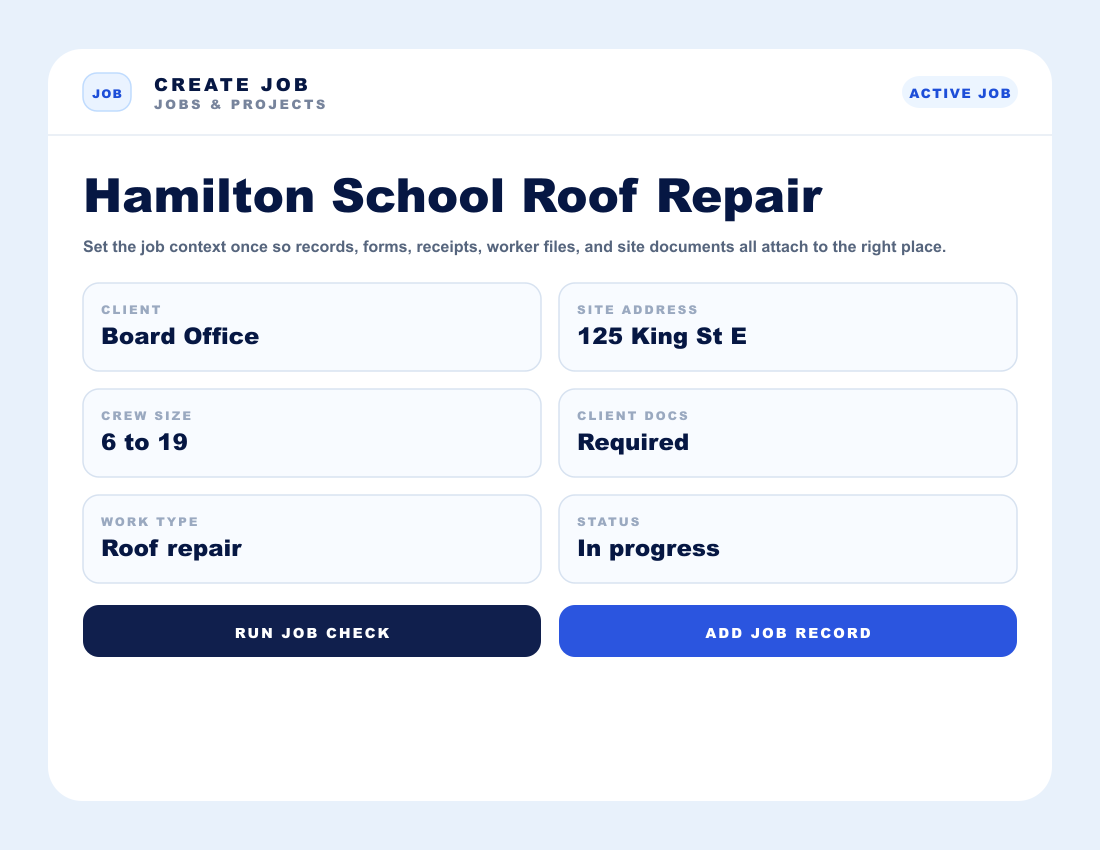
- Build jobs, attach forms and records, and keep the job file from scattering across phones, trucks, inboxes, and folders.
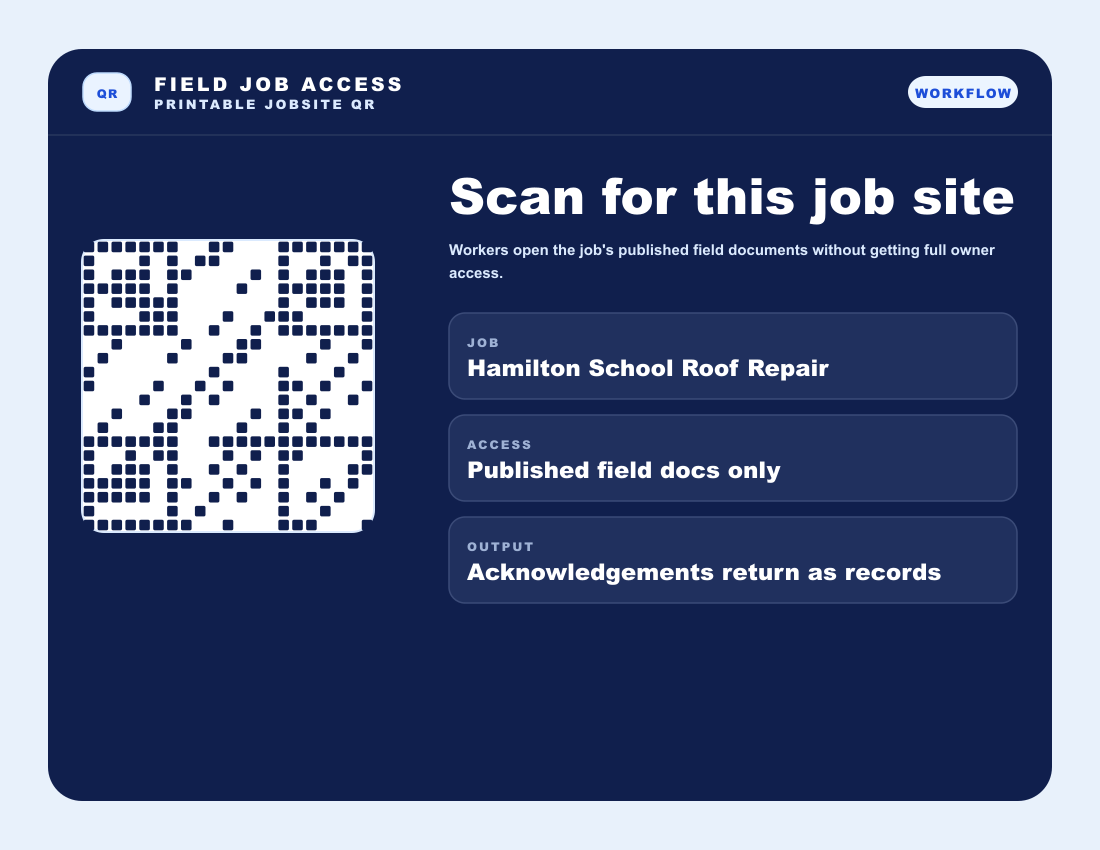
- Use QR jobsite access so workers can open the right forms and site documents without chasing the office.
- Scan receipts and business documents into organized records that can be reviewed, exported, and handed off cleaner.
Search the Blue Crane PDF form compendium
Search PDF-makable contractor forms, inspections, sign-offs, site logs, and field paperwork. Pick a template, customize the fields, then start a Blue Crane trial to print and save your forms as PDFs. Blue Crane handles jobsite QR access inside the app so every site can point crews to the right packet of forms.
Field Level Hazard Assessment (FLHA)
OHSA s.25(2)(h) - General Duty
A daily pre-task risk analysis completed at the work location by the crew before starting physical tasks.
Customize this template
Fill what you need, then preview the printable PDF layout anytime.
The preview will slide into view with the fields you entered.
Printable PDF layout
This preview mirrors the selected field set and any details entered above.
The website maker keeps this form printable. In Blue Crane, a jobsite QR code can open the full site form set for crews, inspections, signatures, and document intake from one place.
Account required to use the PDF maker
Preview the PDF layout here. Start a 7-day Blue Crane trial to print and save this form as a PDF.
Save To Blue CraneCan't find the statutory template you need?
Tell us which Ontario business, safety, or construction form you need to generate. Our operational compliance team will build the automated template and notify you via email the second it goes live.
Ontario Contractor Form Generator Directory
Crawlable shortcuts for contractors searching specific Ontario forms, safety checklists, Construction Act notices, invoices, inspection logs, and printable jobsite paperwork. Each entry opens the matching template in the single Blue Crane PDF form compendium above.
Form 1.2 — Notice of Non-Payment Where Owner Does Not Pay
Under Subsection 6.5(5) of the Ontario Construction Act, contractors must serve a Form 1.2 Notice of Non-Payment to subcontractor(s) within 7 days of receiving a non-payment notice from the owner, or within 21 days of submitting a Proper Invoice if unpaid.
Reference guideForm 6 — Notice of Annual Release of Holdback
Used under Section 22 of the Construction Act when holdbacks are released annually or in phases. This notice details the certified value of services or materials provided and coordinates holdback payouts safely.
Form 9 — Notice of Substantial Performance
Required under Section 32 of the Act to certify that a contract is substantially performed. Once certified by a payment certifier, the Form 9 must be published in a construction trade newspaper to start the 60-day lien expiration clock.
Form 1000 — Employer Site Registration Board Notice
An official WSIB (Workplace Safety and Insurance Board) requirement in Ontario. Employers must post this notice at all construction projects to register the firm and identify coverage parameters for on-site staff.
Notice of Project (NOP) — Ministry of Labour
Under Ontario Regulation 213/91, a Notice of Project (NOP) must be submitted to the Ministry of Labour, Immigration, Training and Skills Development before starting any construction project valued at $250,000 or more.
Reference guideField Level Hazard Assessment (FLHA)
Use an FLHA before work starts to capture task hazards, crew controls, and sign-off details for the specific conditions crews are walking into that day.
Reference guideProper Invoice — Ontario Construction Act
Organize the owner, project, amount, tax, invoice date, and support details behind a proper invoice before the payment clock and downstream notice deadlines begin to matter.
Reference guideHeat Stress Audit Checklist
Aligned with Ontario Occupational Health and Safety rules. Helps field supervisors audit humidex levels, track critical water breaks, log mandatory shadow/cooling periods, and enforce safety bounds for site crews.
Washroom Sanitation Cleaning Log
Maintains compliance with Ministry of Labour site health regulations. Tracks sanitation counts, chemical cleaning schedules, inspection signatures, and frequency of facility maintenance.
Form 1.1 Owner Notice of Non-Payment Generator
Ontario owner notice of non-payment worksheet for proper invoice disputes, payment reasons, service records, and contractor response tracking.
- Form 1.1
- Non-payment
- Proper invoice
Form 1.3 Contractor Notice of Non-Payment Dispute
Construction Act Form 1.3 worksheet for contractors recording disputed non-payment, reasons, amounts, and service proof.
- Form 1.3
- Dispute notice
- Payment holdback
Form 1.4 Subcontractor Notice of Non-Payment
Subcontractor non-payment notice helper for downstream contractor payment tracking and notice records.
- Form 1.4
- Subcontractor
- Payment notice
Form 1.5 Subcontractor Notice of Non-Payment Dispute
Ontario Form 1.5 worksheet for subcontractor payment disputes, unpaid amounts, invoice references, and follow-up notes.
- Form 1.5
- Payment dispute
- Trade invoice
Written Notice of Lien Form 1 Generator
Worksheet for unpaid amount, premises, payer, claimant, contract details, and notice service tracking before lien review.
- Form 1
- Lien notice
- Construction lien
Claim for Lien Form 12 Generator
Ontario claim for lien worksheet for premises, last supply date, amount claimed, service notes, and filing support records.
- Form 12
- Claim for lien
- Last supply
Notice of Preservation of Lien Form 13
Preservation of lien worksheet for action reference, claimant details, lien amount, project address, and service tracking.
- Form 13
- Preserve lien
- Action reference
Form 7 Declaration of Last Supply Generator
Declaration of last supply worksheet for work completed, last material or service date, contract references, and sign-off notes.
- Form 7
- Last supply
- Holdback release
Form 8 Notice of Termination Generator
Notice of termination worksheet for contract termination details, affected parties, project records, publication, and service proof.
- Form 8
- Termination
- Construction Act
Ontario Holdback Calculation Worksheet
Holdback calculation helper for contract value, lien deadline review, release amount, retained funds, and approval notes.
- 10% holdback
- Holdback calculator
- Lien deadline
Fire Extinguisher Monthly Inspection Log
Monthly fire extinguisher check form for tag status, pressure, pin, seal, hose, nozzle, accessibility, defects, and corrective actions.
- Fire extinguisher
- Monthly inspection
- Tag log
Confined Space Entry Permit Generator
Confined space entry permit worksheet for entrants, attendant, supervisor, atmospheric readings, controls, PPE, and rescue plan.
- Confined space
- Entry permit
- Rescue plan
Hot Work Permit Generator
Hot work authorization form for welding, cutting, grinding, fire watch, extinguisher readiness, permits, and area checks.
- Hot work
- Welding permit
- Fire watch
Scaffold Inspection Checklist Generator
Scaffold inspection worksheet for access, guardrails, planks, base plates, ties, tags, defects, and competent worker review.
- Scaffold
- Inspection
- Competent worker
Ladder Inspection Checklist Generator
Ladder inspection record for rails, rungs, feet, labels, damage, safe-use status, repairs, and removal from service.
- Ladder inspection
- Ladder tag
- Equipment safety
Daily Vehicle Inspection DVIR Generator
Daily vehicle inspection report for pre-trip checks, defects, odometer, unit number, repair follow-up, and driver sign-off.
- DVIR
- Pre-trip
- Vehicle defects
Toolbox Talk Sign-In Sheet Generator
Safety meeting sign-in form for topic, facilitator, attendees, hazards reviewed, controls, and crew acknowledgement.
- Toolbox talk
- Safety meeting
- Sign-in sheet
WSIB Clearance Certificate Tracker
WSIB clearance tracker for subcontractor proof, clearance number, expiry date, scope of work, renewal follow-up, and review notes.
- WSIB clearance
- Subcontractor
- Certificate tracker
Frequently Asked Questions — Ontario Contractor Compliance
How does the Ontario Construction Act prompt payment system work?
Ontario’s prompt payment rules establish strict timelines for payments. Once a contractor submits a "Proper Invoice" to the owner, the owner must pay within 28 days. If the owner disputes any portion, they must issue a Form 1.1 Notice of Non-Payment within 14 days. The contractor then has 7 days to issue a Form 1.2 to their subcontractors if they wish to defer non-payment down the chain.
What happens if a contractor misses the 21-day non-payment window?
Missing the 21-day timeline to issue a Form 1.2 Notice of Non-Payment means the contractor becomes legally obligated to pay their subcontractors in full, regardless of whether the owner has paid them. This makes fast, automated access to Form 1.2 builders absolutely critical for business cash flow survival.
How do you certify and publish a Form 9 in Ontario?
A payment certifier (such as the project architect or engineer) reviews and signs the Form 9 verifying substantial performance. The contractor must then publish this signed certificate in an industry-recognized construction trade newspaper (like the Daily Commercial News). Publishing triggers the 60-day period for subcontractors to register any liens, after which standard holdback funds can be safely released.