
What was wrong with the old website?
A plumbing, gas and heating company with 24/7 emergency work, and a website that could not say so. We audited it on and scored it 2 out of 10. A homeowner with no hot water who asked a search engine or an assistant for a plumber in their part of Toronto had nothing from Jackman to find, and every request that did arrive came in by phone, to be written down somewhere.
- One page and 264 words for a business doing plumbing, gas and heating for homes and commercial clients
- No heading on any page, and business markup with no business in it, so a machine could not tell what or where the company was
- Not in Bing at all. A search for the name, the domain or the phone number found a quote directory instead
- No way to send a photo of the problem, and no place for a request to land except the owner's memory
What did Blue Crane build for the website?
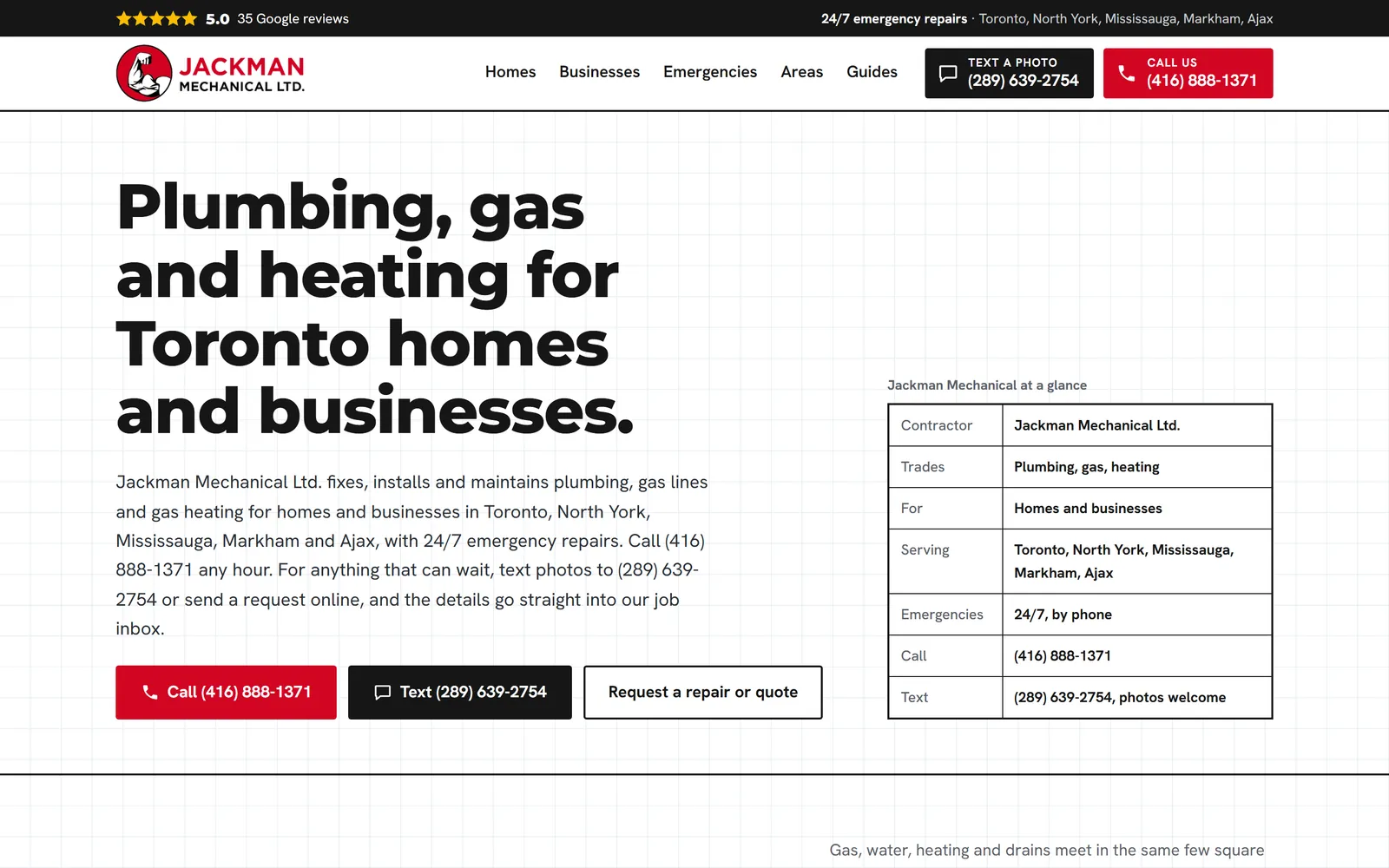
Homes and six services, businesses and four, emergencies, four service areas, eight plain-language guides (frozen pipes, carbon monoxide alarms, who can legally work on gas in Ontario), an FAQ written from the owner's own answers, and the request page. Every one written from the company's facts, not a template's.
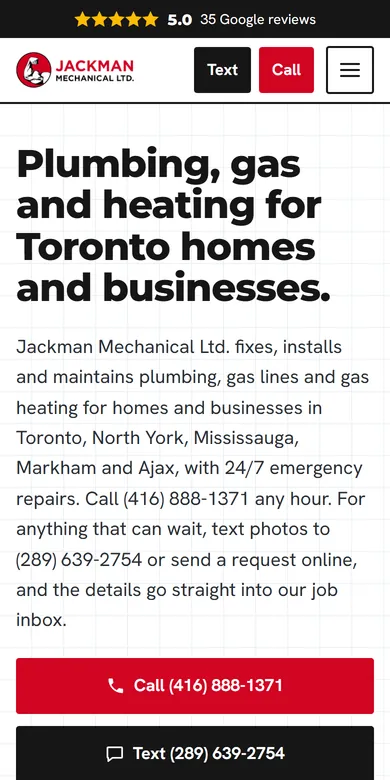
Call and Text sit side by side in the header at every screen size. The text number is a line we set up for the business: a photo texted to it lands in the office app in seconds, with the customer's number on it.
A robots file that names 42 crawlers, a sitemap with real dates, llms.txt, a Markdown copy of every page for the tools that ask for one, and an AI business card, so an assistant can send Jackman a quote request on a customer's behalf.
The domain was switched over in one change with the old site kept ready to come back in minutes. Old addresses redirect to their new pages, so nothing that pointed at the old site breaks.
What does Jackman's own office app do?
The website brings the work in. The app is where the owner runs it, on a phone in the truck or a tablet at the kitchen table. It belongs to the company, with its name and logo on it, built around how a service plumber actually works rather than how a scheduling product thinks one should.
Website requests with their photos, texts to the business line and enquiries sent by AI assistants all land in one Inbox, each marked with where it came from. Emergencies sit at the top in red.
Open a request and tell the app what the job is. It drafts the estimate from a parts price list and the owner's own prices, says which lines it worked out itself so the owner checks them, and sends it to the customer by email and text.
The customer says yes, the job goes on the schedule, and the invoice goes out by email and text with a pay link. The customer pays by card online through Nameplate Pay and the invoice marks itself paid; an e-Transfer is matched to it from its notice. Receipts for parts are photographed and filed against the job they were bought for.
Today shows what needs the owner first, the day's jobs in order and the money owed, with overdue invoices called out. The owner can also just ask the app, by voice, who is next or what is unpaid.
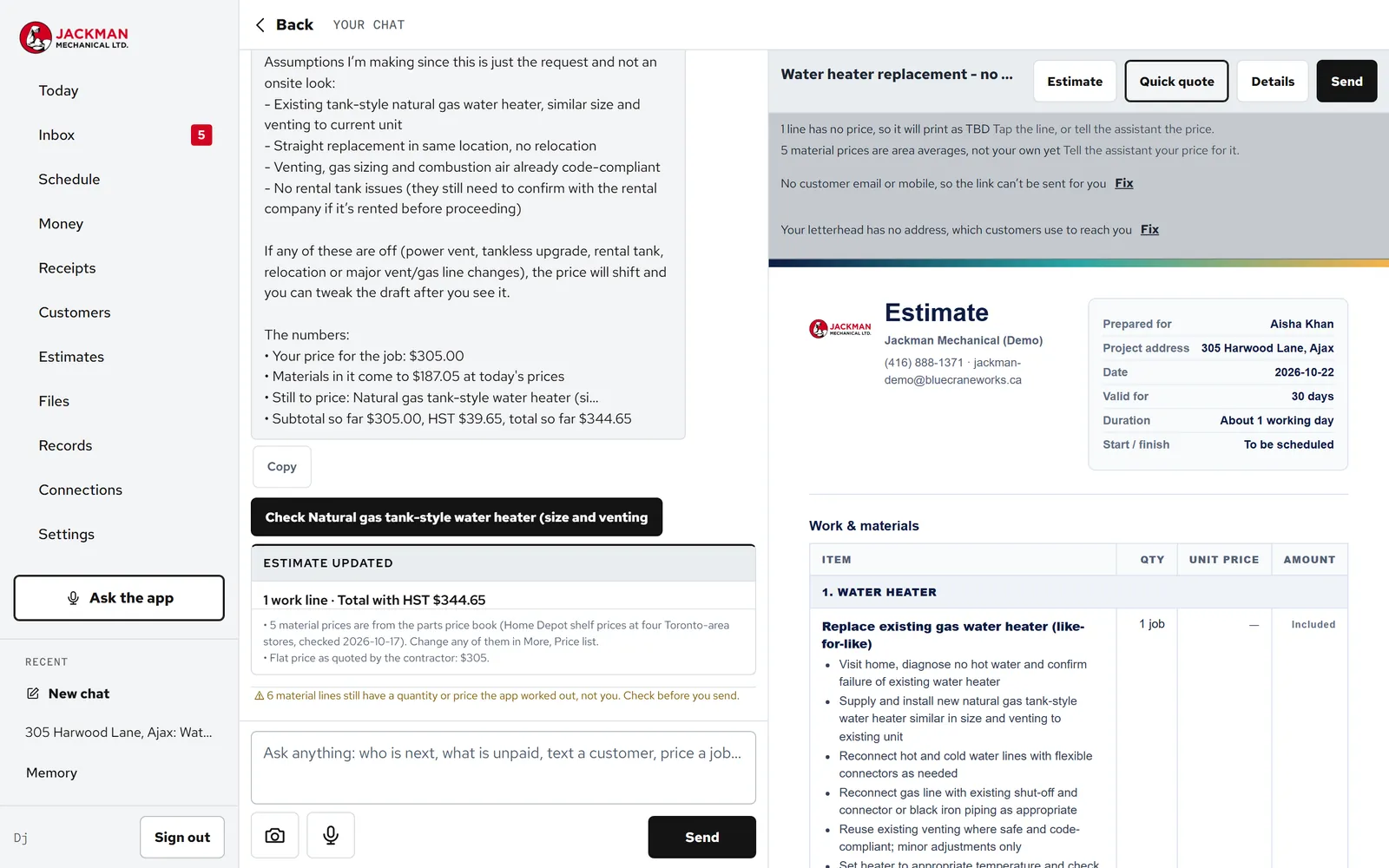
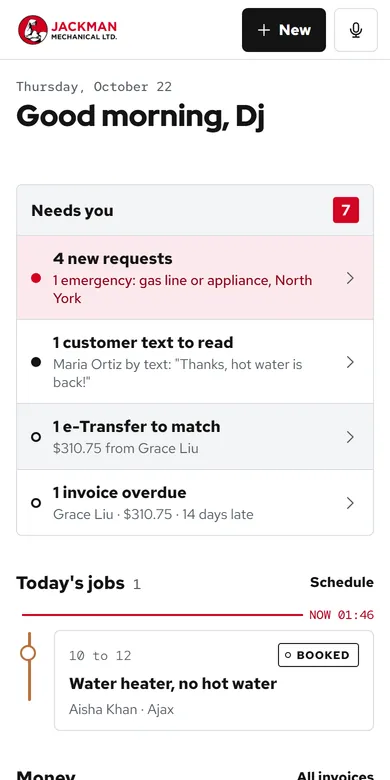
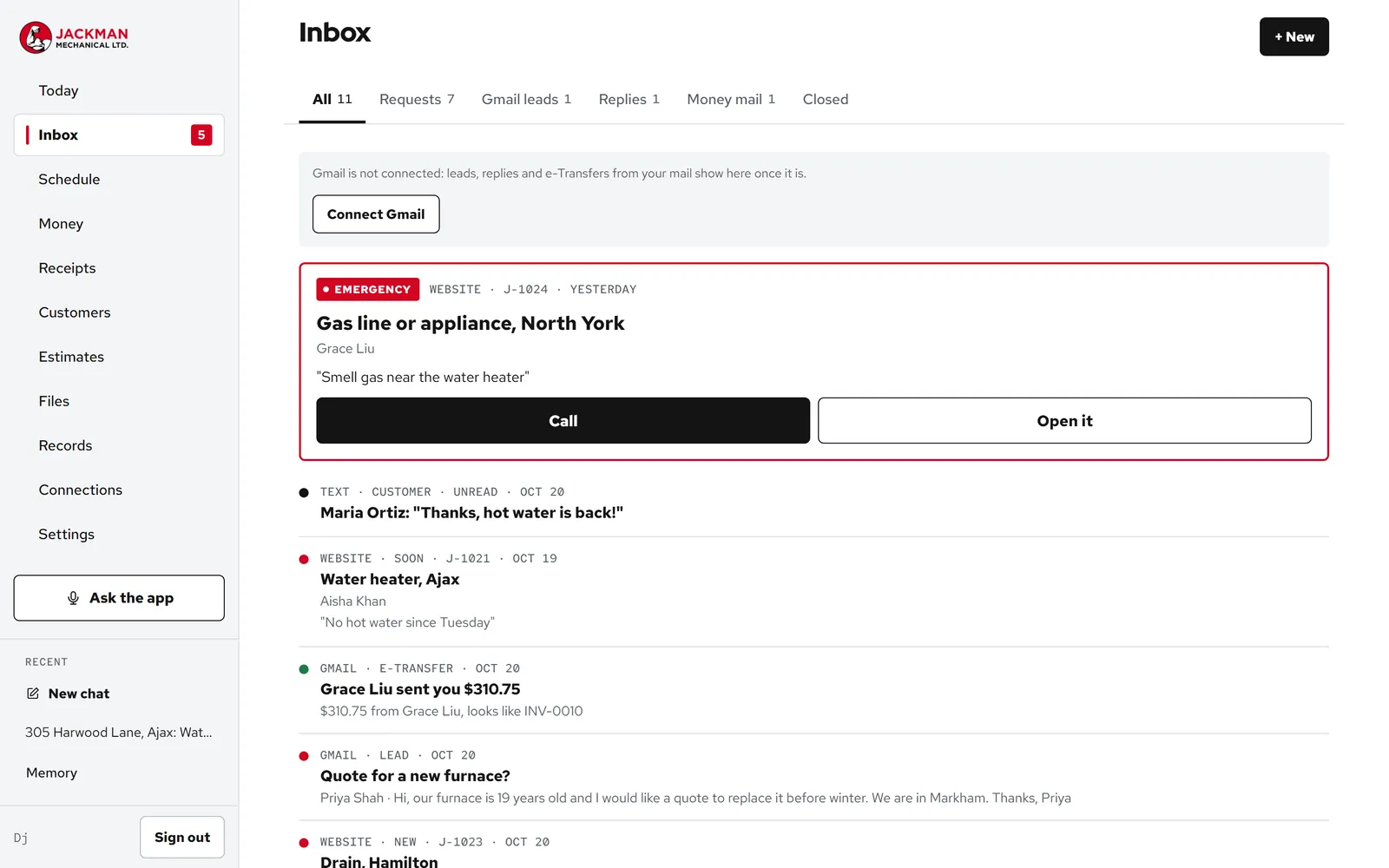
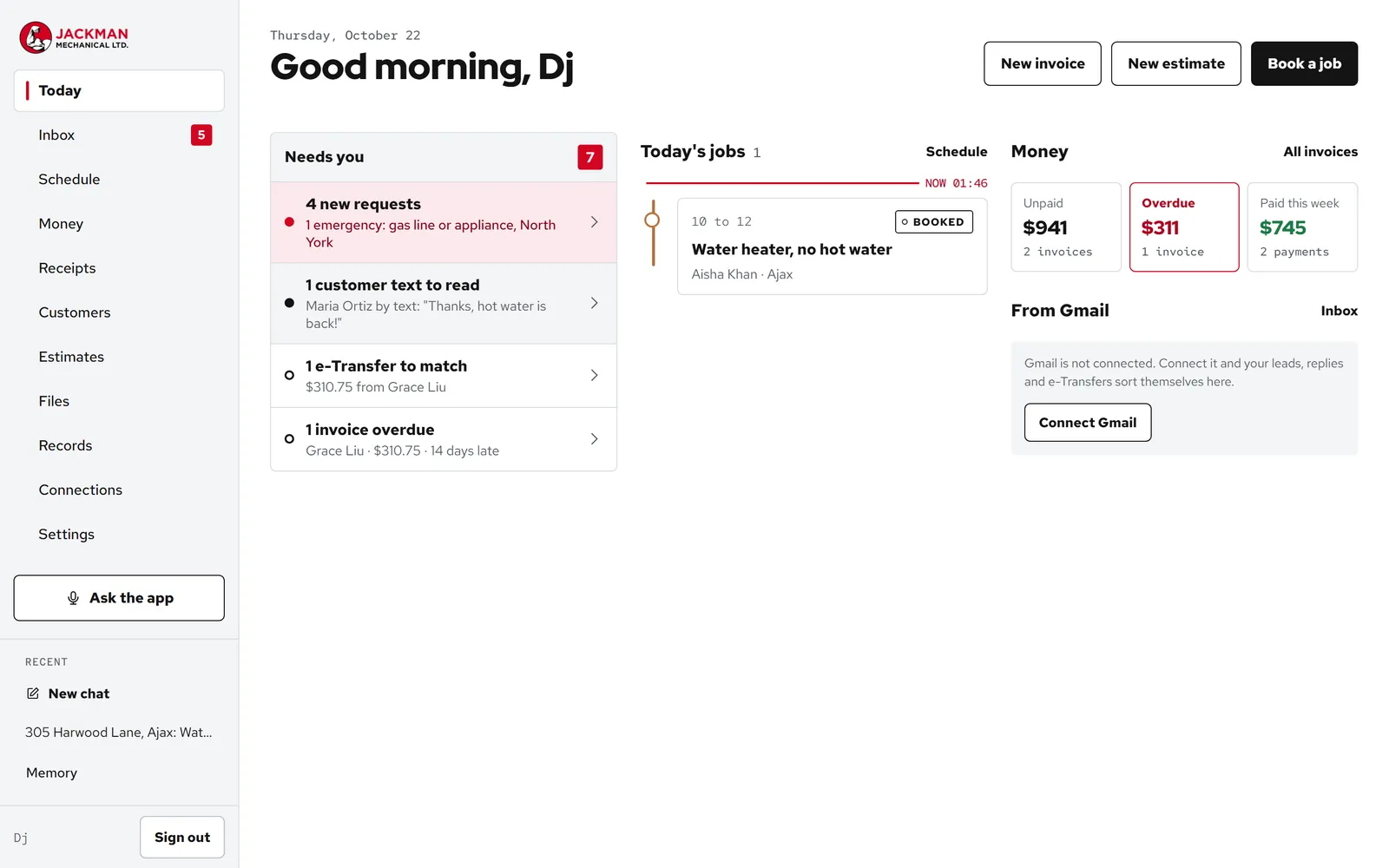
The app screenshots are taken from a demo copy of Jackman's app filled with made-up customers, so no real customer appears on this page. The website screenshots are the live site.
How does a customer's request become a paid job?
- A customer reaches out by the request form on any page, by texting a photo to the business line, or by asking an AI assistant, which can send the request through the site's AI business card.
- It lands in the Inbox, marked with the page or channel it came from, with the photos attached. A text arrived in about four seconds when we tested it.
- The owner writes the estimate by talking, checks the flagged lines, and sends it by email and text from the same screen.
- The customer says yes, and the job goes on the schedule.
- The invoice goes out with a pay link, the customer pays by card or e-Transfer, the payment lands on the invoice, and the receipts for that job's parts are already filed against it.
What changed, measured before and after?
The “before” column is the old Squarespace site, measured on . The “after” column is the live site on www.jackmanmechanical.com: the site audit, the robots check and the heading check were re-run for this page on , and the rest were measured at launch on . We do not promise rankings or citations; Bing's own guidelines say nobody can. We promise the site gives the machines no reason to look elsewhere. Every check, what it found and the four fixes are in the AI visibility pass report.
| Check | What it looks at | Before | After |
|---|---|---|---|
| Site audit | Titles, headings, canonical tags, sitemap, structured data | 10 warnings | 0 / 0 |
| Crawler access | Whether each search and AI crawler gets the full page | 7 warnings | 0 / 0 |
| Robots file | A deliberate rule for each crawler | 2 warnings | 0 / 0, 42 named |
| Markdown copies | A clean text copy of every page for assistants | 3 warnings | 0 / 0 |
| Business identity | Name, phone and trade a machine can match to the company | 1 blocker | 0 / 0 |
| AI business card | Whether an assistant can read the business and send a request | 0 of 15 | 15 of 15 |
What is not switched on yet?
Said plainly, because a case study that only lists the good parts is an advert. Online booking, where a customer picks one of the owner's open times on the website, is built and waits on the owner's answers to a few questions about how bookings should work. Card payments were on this list until October 2026; they are now switched on through Nameplate Pay, into the company's own Stripe account. Google Search Console and Bing Webmaster Tools are not connected yet. Everything else on this page is live.
Can I see it live?
The website is public: visit jackmanmechanical.com. The app is the company's own, so we show it on a call rather than send you into it.
Which Blue Crane services is this?
Two things we sell, built together: a managed website, which we host, run and keep current, and a Nameplate app: a custom application built around one company and carrying its name, never ours. Either one works alone. Together, the website stops being a brochure and becomes the front door to the office.