
Our Tools & Products
Free tools for Ontario trades & contractors
mcp.bluecraneworks.ca/mcp.
Free, no auth. The first MCP server for Canadian contractor paperwork.
Ontario contractor forms in one searchable PDF maker
Search 126 contractor forms: statutory notices, safety logs, field inspections, invoices, and sign-offs. Fill one in on screen and print it free.
Search 126 Ontario & Canadian contractor forms
Search PDF-makable contractor forms, inspections, sign-offs, site logs, and field paperwork. Pick a template, fill in the fields, and print it free. A Form Maker Pass removes the Blue Crane footer from your PDFs and saves your company details so every form pre-fills. Inside the Blue Crane app, jobsite QR codes point crews to the right packet of forms per site.
Field Level Hazard Assessment (FLHA)
Daily or task-based hazard assessment for site crews before work starts.
Customizable contractor safety form for jobsite documentation and internal recordkeeping.Hazard Assessment / JHA / JSA
Task-by-task hazard and safe-work-method analysis with sign-off.
Customizable contractor safety form for jobsite documentation and internal recordkeeping.Visitor Site Orientation & Sign-In Log
Visitor orientation and sign-in form for basic site briefing and attendance records.
OHSA constructor duties and O. Reg. 213/91 project safety controls.Unsafe Condition / Hazard ID Card
Fast hazard card for reporting unsafe conditions and immediate corrective actions.
Customizable contractor safety form for jobsite documentation and internal recordkeeping.Daily Site Inspection Checklist
Daily or weekly supervisor inspection checklist for site conditions and follow-up.
Customizable contractor safety form for jobsite documentation and internal recordkeeping.Site-Specific Safety Plan
Project safety plan worksheet for scope, site controls, emergency contacts, and hazards.
Customizable contractor safety form for jobsite documentation and internal recordkeeping.Heat Stress Audit & Action Plan
High-heat site audit for humidex triggers, cooling controls, worker checks, and follow-up actions.
Customizable contractor safety form for jobsite documentation and internal recordkeeping.Fall Rescue Plan
Rescue plan template for working-at-heights tasks, retrieval steps, and emergency contacts.
O. Reg. 213/91 fall protection requirements, including planning for rescue after a fall arrest.Fall Protection Plan
Fall hazard plan for anchor points, travel restraint, rescue readiness, and crew review.
O. Reg. 213/91 fall protection and PPE requirements.Personal Fall Arrest Daily Checklist
Daily harness, lanyard, lifeline, and connection-point inspection checklist.
O. Reg. 213/91 fall protection and PPE requirements — equipment inspected before use.Traffic Control Plan & Signage Verification
Daily traffic layout and signage verification record for site traffic control.
Ontario Traffic Manual Book 7 and municipal right-of-way permit conditions.Fire Watch Checklist
Fire watch log for post hot-work monitoring, conditions, and final area check.
Supports the fire precautions required by O. Reg. 213/91, ss. 122–124 (Welding and Cutting) where the project procedure assigns a fire watch.Fire Extinguisher Monthly Inspection Tag Log
Monthly competent-worker fire extinguisher inspection record for defects, deterioration, tag date, and follow-up.
O. Reg. 213/91 fire protection and project emergency controls.First Aid Station / Kit Inspection
First aid station and kit inspection form for supplies, attendant status, and restock actions.
WSIB first aid requirements and project safety programme controls.Eyewash Station Inspection
Eyewash or emergency shower inspection record for access, flow, cleanliness, signage, and corrective action.
Customizable contractor safety form for jobsite documentation and internal recordkeeping.Monthly Safety Inspection Checklist
Monthly site or shop inspection checklist covering housekeeping, fire protection, first aid, PPE, equipment, and corrective actions.
Customizable contractor safety form for jobsite documentation and internal recordkeeping.Emergency Drill Record
Emergency drill record for fire, evacuation, rescue, spill, or first aid scenarios and follow-up actions.
Customizable contractor safety form for jobsite documentation and internal recordkeeping.Scaffold Inspection Record
Scaffold inspection record for competent-person review, components, safeguards, written confirmation, and deficiencies.
O. Reg. 213/91 scaffold and access-platform requirements.Ladder Inspection Record (Tag & Service Log)
Portable ladder inspection record for condition, setup, tags, removal from service, and corrective action.
O. Reg. 213/91 ladder and access-equipment requirements.Electrical Cord / GFCI Inspection
Temporary power, cord, plug, tool, and GFCI inspection log for construction or shop work.
Customizable contractor safety form for jobsite documentation and internal recordkeeping.Propane Heater Inspection
Temporary heat inspection record for propane cylinders, hoses, ventilation, clearances, and shutdown actions.
O. Reg. 213/91 fuel, fire and storage controls.Compressed Gas Cylinder Inspection
Compressed gas cylinder storage and use inspection for caps, chains, separation, regulators, leaks, and ignition controls.
O. Reg. 213/91 fuel, fire and storage controls.Silica Dust Control Plan
Silica dust control worksheet for cutting, drilling, grinding, exposure controls, respiratory protection, and worker review.
OHSA designated substance and construction hygiene controls.Noise Control / Hearing Protection Record
Noise hazard and hearing protection record for loud tasks, controls, affected workers, and follow-up monitoring.
Customizable contractor safety form for jobsite documentation and internal recordkeeping.PPE Issue & Inspection Record
PPE issue and inspection record for worker gear, fit, condition, replacement, and instruction notes.
Customizable contractor safety form for jobsite documentation and internal recordkeeping.SDS Binder / SDS Sheet Index
Index sheet for SDS documents, chemical names, locations, and review notes.
Customizable contractor safety form for jobsite documentation and internal recordkeeping.Chemical Inventory
Hazardous product inventory for product names, locations, quantities, and SDS status.
Customizable contractor safety form for jobsite documentation and internal recordkeeping.Spill Response Plan
Spill response worksheet for contacts, kits, procedures, and reporting steps.
Customizable contractor safety form for jobsite documentation and internal recordkeeping.Confined Space Entry Permit
Entry permit covering all nine items O. Reg. 632/05 s. 10 (2) requires: location, the work, hazards and controls, the permit period, the attendant, worker entries and exits, entry and rescue equipment, atmospheric results, and hot work provisions.
Preparation worksheet for the entry permit required by O. Reg. 632/05 (Confined Spaces) s. 10 (1): a separate permit is issued each time work is to be performed in a confined space, before any worker enters. Section 10 (2) lists the nine items a permit must include, and s. 10 (3) requires a competent person to verify the permit against the relevant plan before each shift. Regulation text: https://www.ontario.ca/laws/regulation/050632 (last amendment O. Reg. 346/15; section read 2026-08-19).Confined Space Assessment
Assessment form for confined space hazards, entry controls, and rescue planning.
Preparation worksheet for the assessment required by O. Reg. 632/05 (Confined Spaces) s. 6: before any worker enters, an adequate assessment of the hazards must be carried out and recorded in writing, considering both the hazards that may exist due to the design, construction, location, use or contents of the space and the hazards that may develop while work is done inside it. Section 6 (6) requires the assessment to contain the name of the person who carried it out. Regulation text: https://www.ontario.ca/laws/regulation/050632 (section read 2026-08-19).Atmospheric Testing Record
Gas testing log for oxygen, LEL, H2S, CO, tester, time, and readings.
Preparation worksheet for the test records required by O. Reg. 632/05 (Confined Spaces) s. 18: an appointed person performs adequate tests as often as necessary before and while a worker is in the space, using calibrated instruments in good working order appropriate to the hazards in the assessment, and the employer ensures the results of every sample are recorded, or recorded at adequate intervals where monitoring is continuous. Regulation text: https://www.ontario.ca/laws/regulation/050632 (section read 2026-08-19).Hot Work Authorization Permit
Permit for welding, cutting, grinding, fire watch, and area readiness checks.
O. Reg. 213/91 (Construction Projects), ss. 122–124, Welding and Cutting. Section 123 requires precautions against fire when using a blow torch, welding or cutting equipment.Lockout / Tagout Log
Energy isolation form for lockout steps, verification, locks, and release notes.
OHSA machine, electrical and hazardous energy controls.Group Lockout/Tagout Box Log
Group lockbox log for multi-person lockout verification and removal tracking.
OHSA machine, electrical and hazardous energy controls, where more than one worker locks out.Overhead Power Line Proximity Permit
Permit worksheet for work near overhead power lines, controls, and spotter notes.
Customizable contractor safety form for jobsite documentation and internal recordkeeping.Excavation / Trench Plan
Excavation plan for utilities, soil, access, protection, and emergency notes.
O. Reg. 213/91, Part III (Excavations), ss. 222–242 — entry restrictions, soil classification and support requirements.Trench Inspection
Daily or condition-based trench inspection form for soil, shoring, access, and hazards.
O. Reg. 213/91, Part III (Excavations), ss. 222–242. Excavation conditions must be checked before workers enter.Critical Lift Plan / Permit
Lift plan for crane setup, load details, rigging, conditions, and assigned roles.
O. Reg. 213/91 hoisting and rigging controls, for lifts the project plans in advance.Toolbox Talk / Safety Meeting Sign-in
Safety talk attendance form with topic, worker names, signatures, and site notes.
O. Reg. 213/91, s. 14(3)–(4) — a supervisor or competent person appointed by the supervisor holds the talk.Return to Work Plan
Modified duties and accommodation plan worksheet for worker return-to-work coordination.
Workplace Safety and Insurance Act, 1997 — return-to-work obligations.Worker Orientation
Worker orientation sign-off for company or site-specific safety requirements.
OHSA constructor duties and O. Reg. 213/91 project safety controls.Vehicle & Equipment Inspection (General)
General-purpose inspection and defect record covering a mixed fleet — trucks, trailers, tools, and equipment on one form. For a single asset's condition report use the Equipment Condition Report; for heavy iron use the operator pre-use log.
Customizable vehicle or equipment form for asset inspections and maintenance records.Harness Inspection
Inspection record for harnesses, lanyards, fall arrest equipment, and removal notes.
O. Reg. 213/91 fall protection and PPE requirements — equipment inspected before use.Daily Vehicle Inspection / DVIR
Daily pre-trip or post-trip inspection form for vehicle condition and defects.
Customizable vehicle or equipment form for asset inspections and maintenance records.Commercial Driver Hours of Service Log
Driver hours log for on-duty, driving, off-duty, and fatigue management records.
Customizable vehicle or equipment form for asset inspections and maintenance records.Light-Duty / Company Vehicle Checklist
Checklist for pickup or service vehicle condition, fluids, lights, tires, and cargo.
Customizable vehicle or equipment form for asset inspections and maintenance records.Vehicle Defect Report
Defect report for vehicle issues, out-of-service status, and repair follow-up.
Customizable vehicle or equipment form for asset inspections and maintenance records.Vehicle Maintenance Log
Maintenance record for service date, mileage, work performed, and next due details.
Customizable vehicle or equipment form for asset inspections and maintenance records.Vehicle Accident Report
Vehicle collision or incident report for driver, location, damage, and witness notes.
Customizable vehicle or equipment form for asset inspections and maintenance records.Pre-Use Heavy Equipment Log
Operator pre-use checklist for excavators, loaders, dozers, and similar equipment.
OHSA equipment-duty principles and O. Reg. 213/91 equipment competency controls.Equipment Condition Report
Single-asset condition report — one machine, its defects, service needs, and next-due notes. For a whole mixed fleet on one sheet, use the general Vehicle & Equipment Inspection.
OHSA equipment-duty principles and O. Reg. 213/91 equipment competency controls.EWP / MEWP Inspection
Aerial lift, scissor lift, or boom lift inspection record for daily use.
O. Reg. 213/91, ss. 96(1) and 144–146. Section 144(3)(b) requires inspection before use on each shift.Crane / Hoist Log Book Entry
Crane or hoist log entry for inspection, testing, operation, and issue notes.
O. Reg. 213/91 hoisting and rigging controls.Rigging Inspection
Inspection form for slings, chains, hooks, tags, condition, and removal notes.
O. Reg. 213/91 hoisting and rigging controls.Ladder Pre-Use Check
Quick pre-use ladder check for rails, rungs, feet, labels, and safe-use status — the routine look-over before climbing. For the standing tag-and-service log, use the Ladder Inspection Record.
O. Reg. 213/91 ladder and access-equipment requirements.Tool Calibration Certificate Log
Calibration tracking form for meters, torque tools, gauges, and certificate details.
Customizable vehicle or equipment form for asset inspections and maintenance records.Equipment Defect Report
Defect report for broken equipment, unsafe condition, status, and repair ownership.
Customizable vehicle or equipment form for asset inspections and maintenance records.Equipment Rental Record
Rental record for equipment, dates, cost, site, vendor, and return notes.
Customizable vehicle or equipment form for asset inspections and maintenance records.Work Order
Work order form for service scope, site details, authorization, and completion notes.
Customizable project form for client, job, sign-off, and closeout records.Quote / Estimate
Quote worksheet for scope, pricing, terms, assumptions, and client approval notes.
Customizable project form for client, job, sign-off, and closeout records.Purchase Order Record
Purchase order record for client PO, vendor, job, value, and approval details.
Customizable project form for client, job, sign-off, and closeout records.Change Order
Extra work or variation form with cost, scope, schedule impact, and approval.
Construction Act, R.S.O. 1990, c. C.30 — change documentation supporting payment entitlement.Warranty / Guarantee
Warranty certificate template for workmanship scope, term, exclusions, and contact details.
Customizable project form for client, job, sign-off, and closeout records.Daily Log
Daily site report for labour, weather, work completed, deliveries, and issues.
Customizable project form for client, job, sign-off, and closeout records.Site Notes
Field note form for observations, instructions, deficiencies, and supporting context.
Customizable project form for client, job, sign-off, and closeout records.Packing Slip / Delivery Record
Delivery record for materials received, carrier, quantities, site, and receiver notes.
Customizable project form for client, job, sign-off, and closeout records.Deficiency List
Punch-list form for incomplete work, owner, target date, and completion status.
Customizable project form for client, job, sign-off, and closeout records.Closeout Package Checklist
Turnover checklist for warranty, manuals, as-builts, invoices, photos, and sign-offs.
Customizable project form for client, job, sign-off, and closeout records.Job Photo Log
Photo index sheet for progress, before, after, deficiency, and completion images.
Customizable project form for client, job, sign-off, and closeout records.Worker Exposure Incident Log
Exposure incident log for chemical, biological, physical, or site hazard contact.
OHSA designated substance and exposure-record controls.First Aid Treatment Record
Treatment log for first aid incidents, worker details, care provided, and witness notes.
WSIB first aid requirements and project safety programme controls.Incident Report
Internal accident or incident report with description, people involved, and corrective action fields.
Workplace Safety and Insurance Act, 1997, and OHSA incident reporting duties.Near Miss Report
Close-call report for recording hazards that did not result in injury but require follow-up.
Customizable WSIB or incident form for injury, first aid, and follow-up records.Corrective Action Report
Follow-up form for assigning actions, owners, target dates, and completion notes.
Customizable WSIB or incident form for injury, first aid, and follow-up records.Incident Witness Statement
Scan-to-fill witness statement for recording what a worker, visitor, or subcontractor saw.
Customizable WSIB or incident form for injury, first aid, and follow-up records.Subcontractor Agreement Short Form
Short-form subcontractor agreement worksheet for scope, rates, terms, and signature.
Customizable subcontractor form for onboarding, safety packages, and trade records.Subcontractor Orientation
Orientation sign-off for subcontractor site rules, contacts, hazards, and acknowledgement.
OHSA constructor duties and O. Reg. 213/91 project safety controls.Subcontractor Safety Package Checklist
Checklist for collecting subtrade WSIB, insurance, training, safety docs, and approvals.
Customizable subcontractor form for onboarding, safety packages, and trade records.Subcontractor Training Records Log
Training record index for subtrade workers, certificate names, and review notes.
Customizable subcontractor form for onboarding, safety packages, and trade records.Proper Invoice
Invoice worksheet for project, payer, amount, tax, dates, and required support details.
Construction Act, R.S.O. 1990, c. C.30 and O. Reg. 304/18 — what makes an invoice a proper invoice and starts the prompt-payment clock.Payment Application / Draw Request
Progress draw and payment application worksheet for current claim, holdback, tax, backup, and approval tracking.
Construction Act, R.S.O. 1990, c. C.30 — payment applications under the prompt-payment regime.Ontario Payment Deadline Tracker
Tracker for proper invoice dates, payment due dates, notice deadlines, outstanding amounts, and escalation notes.
Construction Act, R.S.O. 1990, c. C.30 — prompt-payment and holdback release timelines.Proper Invoice Delivery Cover
Delivery cover sheet for sending a proper invoice and recording recipient details.
Construction Act, R.S.O. 1990, c. C.30 — evidence of when the proper invoice was delivered.Washroom Cleaning & Sanitizing Log
Time-based sanitation record for washroom cleaning, restocking, and signature proof.
Ontario washroom sanitation requirements for construction projects — cleaning records kept for the project.Sanitary Facility Structural Audit Checklist
Washroom facility audit for access, ventilation, doors, supplies, and visible deficiencies.
Ontario washroom facility requirements for construction projects.AED Inspection Log
Monthly AED inspection log for kit location, readiness, expiry, and responsible person.
Customizable admin or committee form for workplace compliance support records.Naloxone Kit Inspection Log
Inspection record for naloxone kit condition, supplies, trained responders, and follow-up.
Customizable admin or committee form for workplace compliance support records.JHSC Monthly Workplace Inspection
Monthly inspection form for JHSC or worker representative observations and actions.
Occupational Health and Safety Act, s. 9 — joint health and safety committee requirements.JHSC Formal Written Recommendation
Recommendation form for committee requests, response tracking, and action ownership.
Occupational Health and Safety Act, s. 9 — committee recommendations to the employer.JHSC Meeting Minutes
Meeting minutes template for attendance, agenda, recommendations, and assigned actions.
Occupational Health and Safety Act, s. 9 — joint health and safety committee requirements.Health and Safety Representative Inspection
Monthly HSR inspection form for site or workplace observations and follow-up actions.
Occupational Health and Safety Act — health and safety representative inspection duties.Notice of Project (NOP) Worksheet
Collects everything the Ministry's Notice of Project filing asks for, then records the confirmation number and keeps the on-site copy.
Preparation worksheet and on-site record for a Notice of Project under O. Reg. 213/91 (Construction Projects), s. 6. An NOP is required before work begins where the expected cost of labour and materials exceeds $50,000 — $250,000 at an automotive manufacturing or assembly facility — and for certain high-hazard work at any value. Filing itself is done on the Ministry's eNOP portal; this worksheet does not submit anything.Form 1.2 — Notice of Non-Payment Worksheet
Prepares the contents of a Construction Act Form 1.2 — the notice a contractor gives a subcontractor when the owner has not paid — and keeps the served copy on file.
Preparation worksheet and record for a Notice of Non-Payment under the Construction Act (Ontario), s. 6.5 — given by a contractor to a subcontractor where the owner has not paid. It must state the amount not paid and the reason, attach the owner's notice of non-payment, and include an undertaking to refer the matter to adjudication with the owner within 21 days. The subcontractor notice is otherwise due within 35 days of the proper invoice. This worksheet prepares and records that notice; the prescribed form itself is what gets served.Form 1000 — Registration of Constructors and Employers
Prepares the Ministry of Labour registration every constructor and employer must complete before starting work, and keeps the signed copy that has to stay at the project.
Preparation worksheet and on-site record for the approved registration under O. Reg. 213/91 (Construction Projects), s. 5. Every constructor and every employer engaged in construction must complete an approved registration before beginning work at a project, and a signed copy must be kept at the project while that employer is working there. The Ministry's own form is 016-1000E; this worksheet gathers the same details and keeps the copy you are required to hold on site.Crew Timesheet
Weekly hours record for one crew member — daily hours, overtime, and approval — the sheet every contractor prints more than any other.
Customizable weekly timesheet for payroll and job-costing records. Applies anywhere in Canada.Overtime / Extra Work Authorization
Authorizes overtime or out-of-scope hours in writing before they happen, so payroll and the client invoice never argue about it after.
Customizable authorization record for overtime and extra work. Applies anywhere in Canada.WHMIS 2015 Training Record
Records WHMIS 2015 training per worker — date, trainer, topics, and the refresher due date — so the binder answers before an officer asks.
Training record supporting WHMIS 2015 duties under the federal Hazardous Products Act and the applicable provincial OHS regulation. Employers must ensure workers who work with or near hazardous products are educated and trained. Record only — content of training must match the products on site.Working at Heights Training Log (Ontario)
Tracks each worker's Working at Heights training, provider, and the expiry date that quietly ends their ability to use fall protection on site.
Tracking record for Working at Heights training under O. Reg. 297/13 (Occupational Health and Safety Awareness and Training) for Ontario construction workers who use fall protection. WAH training is valid for three years; this log tracks it, it does not certify anyone.Equipment Operator Competency Sign-off
Documents that a named operator was assessed competent on a specific machine — the record supervisors reach for when someone asks who approved him on the skid steer.
Customizable competency assessment record for equipment operators. Applies anywhere in Canada; keep with training records.Alberta Hazard Assessment & Control Record
The formal hazard assessment Alberta expects before work starts — hazards identified, controls assigned, workers informed — repeated when the site or the work changes.
Preparation worksheet and record for the hazard assessment Alberta's OHS Code, Part 2 (Hazard Assessment, Elimination and Control) requires employers to complete, repeat when operations change, and share with workers. Record only — verify current Code wording for the specific work.Prime Contractor Designation Record (Alberta)
Records who holds prime contractor duties on a multi-employer Alberta work site, from when, and for what scope — the question an OHS officer asks first.
Record of the prime contractor arrangement contemplated by Alberta's OHS Act for work sites with two or more employers. This record documents the designation for the site file — the designation itself is made by contract or by the owner.Alberta Proper Invoice Worksheet (Prompt Payment)
Prepares an invoice that meets Alberta's proper invoice requirements, because the payment clock only starts when the invoice qualifies.
Preparation worksheet for a proper invoice under Alberta's Prompt Payment and Construction Lien Act. The Act's payment deadlines run from a proper invoice; this worksheet prepares and records one, it does not serve anything. Verify the Act's current requirements for the specific contract.Alberta Notice of Dispute Worksheet (Prompt Payment)
Prepares the written dispute an Alberta owner or contractor gives when refusing to pay all or part of a proper invoice — inside the window the Act allows.
Preparation worksheet and record for a notice of dispute under Alberta's Prompt Payment and Construction Lien Act, given within the period the Act sets when a proper invoice is disputed. Worksheet and record only — the prescribed notice is what gets served. Get advice on live disputes.WCB Alberta Clearance Tracker
Tracks WCB-Alberta clearance letters per subcontractor so coverage is confirmed before they start and before they get paid.
Customizable tracking record for WCB-Alberta clearance letters on subcontracted work. Record only — clearances are issued by WCB-Alberta.BC Notice of Project (NOP) Worksheet — WorkSafeBC
Collects what a WorkSafeBC Notice of Project asks for and records the filing reference, so the site copy exists before an officer visits.
Preparation worksheet and on-site record for a Notice of Project under Part 20 of BC's Occupational Health and Safety Regulation (Construction, Excavation and Demolition). WorkSafeBC must be notified before certain construction work begins; notice is filed with WorkSafeBC — this worksheet does not submit anything.Tailgate Safety Meeting Record (BC)
BC's name for the toolbox talk — topic, hazards discussed, and crew attendance for the tailgate meeting, ready for the site binder.
Customizable record supporting regular crew safety meetings on BC job sites, as WorkSafeBC expects of an effective health and safety program. Record only.BC First Aid Assessment Worksheet — WorkSafeBC
Works through the first aid assessment that decides what attendants, kits, and transport a BC worksite needs — and records the answer.
Preparation worksheet and record for the workplace first aid assessment BC's Occupational Health and Safety Regulation requires employers to conduct for each workplace. Verify the current WorkSafeBC first aid requirements when completing — they set the levels this worksheet records.BC Joint Committee Meeting Record
Meeting minutes for a BC joint health and safety committee — attendance, items raised, recommendations, and the next date.
Meeting record for a joint health and safety committee under BC's Workers Compensation Act, required at workplaces that regularly employ 20 or more workers. Record only.BC Builders Lien Holdback Worksheet
Tracks the 10% lien holdback on a BC construction contract — amount, dates, and release — so the number is never a surprise at completion.
Tracking worksheet for the 10% holdback BC's Builders Lien Act requires on construction contracts, and its release timing. Worksheet and record only — lien and holdback periods are strict; get legal advice for the specific project.WSIB Form 7 Preparation Worksheet (Ontario)
Gathers everything WSIB's Form 7 — the Employer's Report of Injury or Disease — asks for, so the report is ready inside WSIB's tight reporting deadline instead of being reconstructed from texts.
Preparation worksheet and record for WSIB Form 7 (Employer's Report of Injury/Disease) under Ontario's Workplace Safety and Insurance Act. Employers must report a work-related injury or illness to WSIB within the deadline the Act sets once it comes to their attention. The report itself is filed with WSIB — this worksheet prepares it and keeps your copy.Form 9 — Certificate of Substantial Performance Worksheet (Ontario)
Prepares the contents of an Ontario Form 9 — the Certificate of Substantial Performance whose publication starts the release-of-holdback clock — and records where and when it was published.
Preparation worksheet and record for a Certificate of Substantial Performance (Form 9) under the Construction Act (Ontario). Certification and publication requirements are strict and date-driven — see our Form 9 publication guide, and get advice for a live project. This worksheet prepares and records the certificate; it does not certify or publish anything.Lien Waiver & Release Record
Records a partial or final waiver and release of lien rights against a payment — who released what, for which period, in exchange for how much.
Customizable record of a lien waiver or release given with a progress or final payment. Lien rights and waiver enforceability are province-specific and strict — this record documents what was signed; have the waiver language itself reviewed for the province and contract.Safe Work Procedure (SWP)
A written step-by-step safe work procedure for a recurring task — hazards, controls, PPE, and the steps in order — the document trainers train from and auditors ask for.
Customizable safe work procedure supporting the general duty under Canadian OHS law to inform and instruct workers on safe work. Applies anywhere in Canada; content must match the actual task and site.T5018 Subcontractor Payment Tracker
Tracks payments to each subcontractor through the year so the CRA T5018 slips are a report at filing time, not an archaeology project.
Tracking record supporting the CRA T5018 (Statement of Contract Payments) information return that businesses whose primary activity is construction must file for payments to subcontractors. Record only — slips and summaries are filed with the CRA.Contractor Invoice
A clean, standard contractor invoice — work performed, materials, tax, and payment terms — for the jobs that don't need statutory prompt-payment wording.
Customizable contractor invoice for any Canadian trade business. For Ontario or Alberta jobs where prompt-payment deadlines matter, use the province's Proper Invoice worksheet instead — the payment clock only starts when the invoice qualifies.Record of Employment (ROE) Preparation Worksheet
Gathers everything an ROE asks for — employment dates, insurable hours and earnings, the reason code — so the Service Canada filing takes minutes when someone leaves.
Preparation worksheet and record for a Record of Employment, which employers must issue through Service Canada when an employee has an interruption of earnings under the federal Employment Insurance framework. The ROE itself is filed with Service Canada (ROE Web); this worksheet prepares it and keeps your copy with the personnel file.Construction Contract / Work Agreement
A written work agreement for a construction job — scope, price, schedule, changes, and signatures — because the jobs that go wrong are the ones agreed on a handshake.
Customizable construction work agreement for Canadian trades. Contract enforceability, lien rights, and prompt-payment consequences are province-specific — have the final wording reviewed for the province and the job before signing anything substantial.Certificate of Completion
A plain certificate recording that the contracted work is complete and accepted — the document that closes the job, starts warranties, and stops the scope from reopening.
Customizable completion certificate for any Canadian trade job. Not the same thing as Ontario's statutory Certificate of Substantial Performance (Form 9) — for that, use the Form 9 worksheet and its publication guide.Alberta WCB Employer's Report of Injury Worksheet
Gathers what WCB-Alberta's employer injury report asks for, so the report is ready inside the deadline instead of being reconstructed from texts.
Preparation worksheet and record for the employer's report of injury to WCB-Alberta under Alberta's Workers' Compensation Act — required within the Act's deadline when a worker is injured and needs medical treatment or loses time. The report is filed with WCB-Alberta; this worksheet prepares it and keeps your copy.BC WorkSafeBC Employer's Injury Report Worksheet
Prepares the employer's injury report WorkSafeBC requires after a workplace injury — the details, the timeline, and the record for your file.
Preparation worksheet and record for the employer's report of injury to WorkSafeBC under BC's Workers Compensation Act — required within the Act's deadline when a worker is injured and needs medical treatment or loses time. The report is filed with WorkSafeBC; this worksheet prepares it and keeps your copy.Saskatchewan Harassment Prevention Policy Record
Records the written harassment prevention policy Saskatchewan requires employers to have — the policy, who it was communicated to, and when.
Record supporting the written harassment prevention policy Saskatchewan's employment and OHS legislation requires employers to establish and communicate to workers. Record only — the policy content must meet the legislation's requirements for the workplace.Saskatchewan Proper Invoice Worksheet (Prompt Payment)
Prepares an invoice that meets Saskatchewan's prompt-payment requirements, because the payment clock only starts when the invoice qualifies.
Preparation worksheet for a proper invoice under Saskatchewan's builders' lien prompt-payment framework. Payment deadlines run from a proper invoice; this worksheet prepares and records one, it does not serve anything. Verify the current requirements for the specific contract.WCB Saskatchewan Clearance Tracker
Tracks Saskatchewan WCB clearance letters per subcontractor so coverage is confirmed before work starts and before payment goes out.
Customizable tracking record for Saskatchewan WCB clearance letters on subcontracted work. Record only — clearances are issued by the Saskatchewan Workers' Compensation Board.Manitoba Workplace Safety & Health Committee Record
Meeting minutes for a Manitoba workplace safety and health committee — attendance, concerns raised, recommendations, and the next date.
Meeting record for a workplace safety and health committee under Manitoba's Workplace Safety and Health Act, required at workplaces the Act specifies. Record only.Manitoba Harassment Prevention Policy Record
Records the harassment prevention policy Manitoba requires — the policy, the reporting process, and proof it was communicated to workers.
Record supporting the harassment prevention policy Manitoba's Workplace Safety and Health framework requires employers to develop and post or communicate. Record only — the policy content must meet the regulation's requirements.Manitoba Builders' Lien Holdback Worksheet
Tracks the statutory holdback on a Manitoba construction contract — amount, dates, and release — so completion has no surprises.
Tracking worksheet for the holdback Manitoba's Builders' Liens Act requires on construction contracts, and its release timing. Worksheet and record only — lien and holdback periods are strict; get legal advice for the specific project.No forms match this search yet. Try a form alias like FLHA, DVIR, Form 7, toolbox talk, or proper invoice.
Field Level Hazard Assessment (FLHA)
OHSA s.25(2)(h) - General Duty
A daily pre-task risk analysis completed at the work location by the crew before starting physical tasks.
Customize this template
Fill what you need, then preview the printable PDF layout anytime.
The preview will slide into view with the fields you entered.
Pass holders: company details typed here auto-fill on all 126 forms.
Printable PDF layout
This preview mirrors the selected field set and any details entered above.
Sign-off
| Name (print) | Signature | Date |
|---|---|---|
| Supervisor: |
The website maker keeps this form printable. In Blue Crane, a jobsite QR code can open the full site form set for crews, inspections, signatures, and document intake from one place.
Print free — or go clean with the Pass
Every form prints free with the form’s guidance text and a small Blue Crane footer on the page. The Pass strips ALL Blue Crane text from your prints — clean, client-ready paper — and auto-fills your company details on all 126 forms.
Can't find the statutory template you need?
Tell us which Ontario business, safety, or construction form you need to generate. Our operational compliance team will build the automated template and notify you via email the second it goes live.
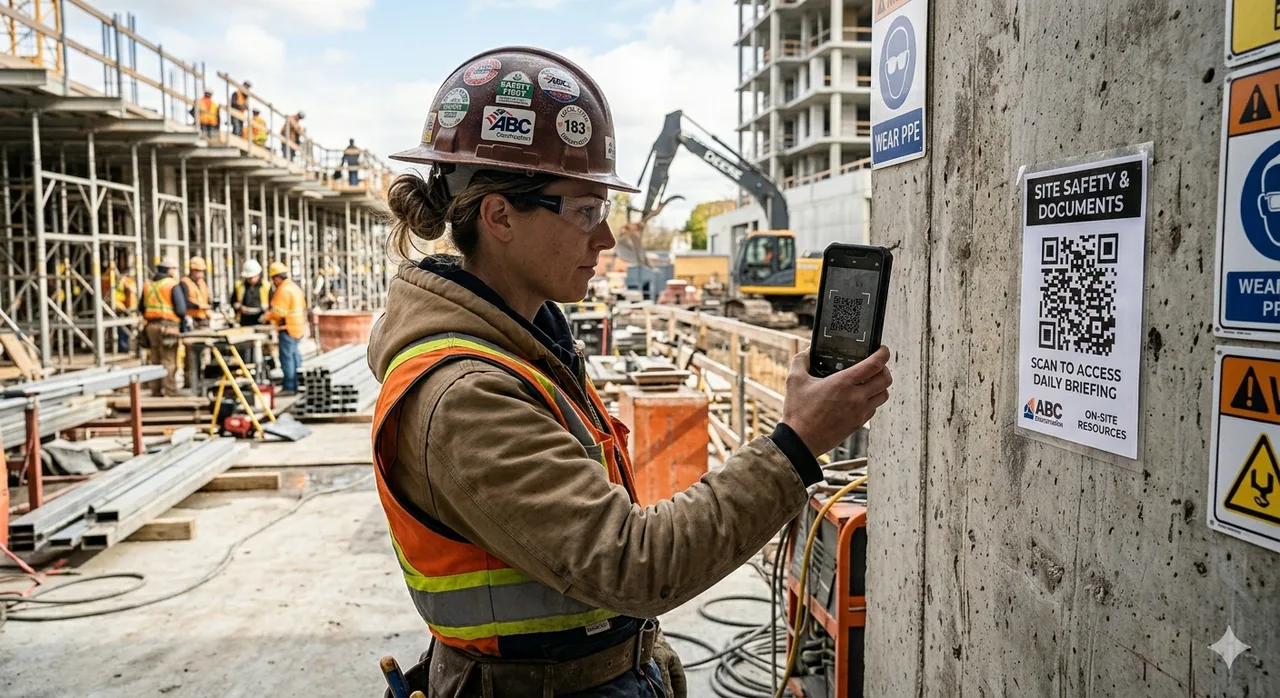
Blue Crane jobsite QR boards help crews open the right site paperwork from the trailer, truck, or shop floor.
Turn repeat contractor paperwork into guided, printable PDFs.
Blue Crane's PDF form maker gives crews and office staff a faster way to prepare field paperwork. Pick a template, enter the job details once, preview the finished layout, then print it free — or run clean, footer-free PDFs with the Form Maker Pass.
- Pick the form Start with safety logs, invoices, notices, DVIRs, toolbox talks, sign-offs, and other contractor documents.
- Fill it cleanly Add job, worker, equipment, date, amount, location, and sign-off details without rebuilding the same form.
- Generate the PDF Preview a printable record with organized sections that is ready to file, share, or save to the business.
- Scale it in Blue Crane Use Blue Crane jobsite QR codes to connect crews to the full site form set, not isolated website QR links.
Blue Crane helps organize operational paperwork and compliance support records. It does not replace legal advice or guarantee compliance by itself.
Browse PDF FormsRight tools for the job.
The website form maker is useful when you need one clean PDF. The Blue Crane app is the software tool for running the paperwork behind the business: scan records, sort receipts, connect documents to jobs, share jobsite forms by QR, and keep the file ready for the office or accountant.
Create the job
Client, site, crew size, and work type set once.
Attach Records & Forms
Receipts, safety forms, and sign-offs stay tied to the job.
Post the job QR
Workers scan on site and open the published documents.
Collect & Review
Completed paperwork returns as organized records.
Free tools for Ontario trades & contractors
Working outside Ontario? The library now carries Alberta contractor forms BC, Saskatchewan, and Manitoba contractor forms — statutory worksheets per province, plus the Canada-wide site paperwork that applies everywhere.
The Form Maker is one of a growing set of Blue Crane tools built for the trades. Each one is free to use — and a single Pro‑Contractor pass covering every tool is on the way.
Contractor Form Maker
126 Ontario & Canadian contractor forms — searchable, fillable, printable. Free with a small footer; the Pass prints clean.
SIGNAL Bid & Tender Finder
Open construction bids and tenders from 50+ Ontario municipal portals, hospitals, school boards, and CanadaBuys, matched to your trade, service area, and crew size. Sign up free and see your matches instantly.
Trades Tax Calculators for Canadian Contractors
Six free calculators with sourced 2026 rates, province by province — what you owe and what you keep, before your accountant does.
Blue Crane Inventory
Photograph an item or type it in: stock numbers, locations, and prices suggested from what you actually charge. Trade kits from garage doors to retail to auto salvage. For any business that dealers.
Ontario Contractor Form Generator Directory
Direct links for contractors searching a specific Ontario form, safety checklists, Construction Act notices, invoices, inspection logs, and printable jobsite paperwork. Each entry opens the matching template in the single Blue Crane PDF form compendium above.
Toolbox Talk of the Week
A ready-to-run 5-minute crew talk, rotating weekly — with the sign-in sheet that proves it happened.
This week’s talk →Saskatchewan Contractor Forms
Harassment policy, prompt-payment invoices, and WCB clearance for Saskatchewan crews.
Open the guide →Manitoba Contractor Forms
Safety committees, harassment policy, and builders’ lien holdback for Manitoba crews.
Open the guide →Record of Employment (ROE)
When the ROE is required, what it asks, and a worksheet that makes the filing minutes.
Open the guide →Construction Contract Template
Scope, price, changes, and signatures — the page ahead of every dispute you won’t have.
Open the guide →WCB Alberta Injury Report
When Alberta employers must report to WCB and the worksheet that gets it ready in time.
Open the guide →WorkSafeBC Injury Report
When BC employers must report to WorkSafeBC and the worksheet that gets it ready in time.
Open the guide →Contractor Invoice Template
A clean standard invoice for Canadian trades — and when a statutory proper invoice is required instead.
Open the guide →WSIB Form 7 — Employer’s Report of Injury
What triggers the report, what it asks, and a worksheet so the filing takes minutes.
Open the guide →Safe Work Procedure (SWP) Template
Hazards, controls, PPE, and steps in order — the document trainers train from.
Open the guide →Form 9 — Certificate of Substantial Performance
Prepares the certificate whose publication starts the holdback-release clock.
Open the guide →Lien Waiver & Release Template
Partial vs final, what to check before signing, and the record of what was released.
Open the guide →T5018 Subcontractor Payment Tracker
The CRA slip construction businesses owe — tracked as you pay, not reconstructed in slip season.
Open the guide →Form 1.2 — Notice of Non-Payment Where Owner Does Not Pay
Under Subsection 6.5(5) of the Ontario Construction Act, contractors must serve a Form 1.2 Notice of Non-Payment to subcontractor(s) within 7 days of receiving a non-payment notice from the owner, or within 21 days of submitting a Proper Invoice if unpaid.
Reference guideForm 6 — Notice of Annual Release of Holdback
Used under Section 22 of the Construction Act when holdbacks are released annually or in phases. This notice details the certified value of services or materials provided and coordinates holdback payouts safely.
Browse the form library →Form 9 — Notice of Substantial Performance
Required under Section 32 of the Act to certify that a contract is substantially performed. Once certified by a payment certifier, the Form 9 must be published in a construction trade newspaper to start the 60-day lien expiration clock.
Open the guide →Form 1000 — Registration of Constructors and Employers
Required under Ontario Regulation 213/91, s. 5. Every constructor and every employer engaged in construction must complete the approved registration before beginning work, and keep a signed copy at the project while working there. The form asks for your WSIB account number, but the requirement itself is a Ministry of Labour one.
Reference guideNotice of Project (NOP) — Ministry of Labour
Under Ontario Regulation 213/91, a Notice of Project (NOP) must be filed with the Ministry of Labour, Immigration, Training and Skills Development before work begins where the total expected cost of labour and materials exceeds $50,000 — or, at an automotive manufacturing or assembly facility, $250,000. Certain high-hazard activities require an NOP regardless of project value.
Reference guideField Level Hazard Assessment (FLHA)
Use an FLHA before work starts to capture task hazards, crew controls, and sign-off details for the specific conditions crews are walking into that day.
Reference guideProper Invoice — Ontario Construction Act
Organize the owner, project, amount, tax, invoice date, and support details behind a proper invoice before the payment clock and downstream notice deadlines begin to matter.
Reference guideHeat Stress Audit Checklist
Aligned with Ontario Occupational Health and Safety rules. Helps field supervisors audit humidex levels, track critical water breaks, log mandatory shadow/cooling periods, and enforce safety bounds for site crews.
Washroom Sanitation Cleaning Log
Maintains compliance with Ministry of Labour site health regulations. Tracks sanitation counts, chemical cleaning schedules, inspection signatures, and frequency of facility maintenance.
Form 1.1 Owner Notice of Non-Payment Generator
Ontario owner notice of non-payment worksheet for proper invoice disputes, payment reasons, service records, and contractor response tracking.
- Form 1.1
- Non-payment
- Proper invoice
Form 1.3 Contractor Notice of Non-Payment Dispute
Construction Act Form 1.3 worksheet for contractors recording disputed non-payment, reasons, amounts, and service proof.
- Form 1.3
- Dispute notice
- Payment holdback
Form 1.4 Subcontractor Notice of Non-Payment
Subcontractor non-payment notice helper for downstream contractor payment tracking and notice records.
- Form 1.4
- Subcontractor
- Payment notice
Form 1.5 Subcontractor Notice of Non-Payment Dispute
Ontario Form 1.5 worksheet for subcontractor payment disputes, unpaid amounts, invoice references, and follow-up notes.
- Form 1.5
- Payment dispute
- Trade invoice
Written Notice of Lien Form 1 Generator
Worksheet for unpaid amount, premises, payer, claimant, contract details, and notice service tracking before lien review.
- Form 1
- Lien notice
- Construction lien
Claim for Lien Form 12 Generator
Ontario claim for lien worksheet for premises, last supply date, amount claimed, service notes, and filing support records.
- Form 12
- Claim for lien
- Last supply
Notice of Preservation of Lien Form 13
Preservation of lien worksheet for action reference, claimant details, lien amount, project address, and service tracking.
- Form 13
- Preserve lien
- Action reference
Form 7 Declaration of Last Supply Generator
Declaration of last supply worksheet for work completed, last material or service date, contract references, and sign-off notes.
- Form 7
- Last supply
- Holdback release
Form 8 Notice of Termination Generator
Notice of termination worksheet for contract termination details, affected parties, project records, publication, and service proof.
- Form 8
- Termination
- Construction Act
Ontario Holdback Calculation Worksheet
Holdback calculation helper for contract value, lien deadline review, release amount, retained funds, and approval notes.
- 10% holdback
- Holdback calculator
- Lien deadline
Fire Extinguisher Monthly Inspection Log
Monthly fire extinguisher check form for tag status, pressure, pin, seal, hose, nozzle, accessibility, defects, and corrective actions.
- Fire extinguisher
- Monthly inspection
- Tag log
Confined Space Entry Permit Generator
Confined space entry permit worksheet for entrants, attendant, supervisor, atmospheric readings, controls, PPE, and rescue plan.
- Confined space
- Entry permit
- Rescue plan
Hot Work Permit Generator
Hot work authorization form for welding, cutting, grinding, fire watch, extinguisher readiness, permits, and area checks.
- Hot work
- Welding permit
- Fire watch
Scaffold Inspection Checklist Generator
Scaffold inspection worksheet for access, guardrails, planks, base plates, ties, tags, defects, and competent worker review.
- Scaffold
- Inspection
- Competent worker
Ladder Inspection Checklist Generator
Ladder inspection record for rails, rungs, feet, labels, damage, safe-use status, repairs, and removal from service.
- Ladder inspection
- Ladder tag
- Equipment safety
Daily Vehicle Inspection DVIR Generator
Daily vehicle inspection report for pre-trip checks, defects, odometer, unit number, repair follow-up, and driver sign-off.
- DVIR
- Pre-trip
- Vehicle defects
Toolbox Talk Sign-In Sheet Generator
Safety meeting sign-in form for topic, facilitator, attendees, hazards reviewed, controls, and crew acknowledgement.
- Toolbox talk
- Safety meeting
- Sign-in sheet
WSIB Clearance Certificate Tracker
WSIB clearance tracker for subcontractor proof, clearance number, expiry date, scope of work, renewal follow-up, and review notes.
- WSIB clearance
- Subcontractor
- Certificate tracker
Frequently Asked Questions — Ontario Contractor Compliance
How does the Ontario Construction Act prompt payment system work?
Ontario’s prompt payment rules establish strict timelines for payments. Once a contractor submits a "Proper Invoice" to the owner, the owner must pay within 28 days. If the owner disputes any portion, they must issue a Form 1.1 Notice of Non-Payment within 14 days. The contractor then has 7 days to issue a Form 1.2 to their subcontractors if they wish to defer non-payment down the chain.
What happens if a contractor misses the 21-day non-payment window?
Missing the 21-day timeline to issue a Form 1.2 Notice of Non-Payment means the contractor becomes legally obligated to pay their subcontractors in full, regardless of whether the owner has paid them. This makes fast, automated access to Form 1.2 builders absolutely critical for business cash flow survival.
How do you certify and publish a Form 9 in Ontario?
A payment certifier (such as the project architect or engineer) reviews and signs the Form 9 verifying substantial performance. The contractor must then publish this signed certificate in an industry-recognized construction trade newspaper (like the Daily Commercial News). Publishing triggers the 60-day period for subcontractors to register any liens, after which standard holdback funds can be safely released.